
Download InstaGraph – Transform Text into Visual Knowledge Graphs
Overview: Turning Raw Text into Intuitive Knowledge Graphs
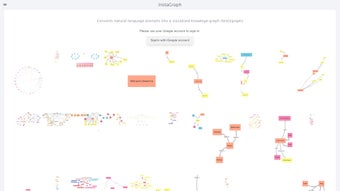
InstaGraph is a cutting‑edge web application that converts plain text, PDFs, or entire web pages into interactive knowledge graphs. By harnessing natural‑language processing (NLP) and AI‑driven entity extraction, the platform automatically identifies key concepts, relationships, and hierarchies within your source material. The result is a clean, visual map that makes complex information instantly understandable – a boon for researchers, educators, journalists, and anyone who works with dense data sets.
Because InstaGraph runs entirely in the browser, there is no need for heavyweight desktop installations; you simply open the site, sign in with your Google account, and start visualizing. Security is baked in through Google OAuth, ensuring that your projects stay private and tied to a trusted identity provider. Real‑time collaboration lets multiple users edit and comment on the same graph, which is especially useful for classroom settings or research teams.
The intuitive interface reduces the time spent on manual diagramming by up to 80 %, allowing you to focus on insight rather than tedious layout work. In short, InstaGraph streamlines the traditionally labor‑intensive task of mapping knowledge, freeing you to explore connections, generate insights, and share findings with a single click.
Key Features & Benefits That Set InstaGraph Apart
- AI‑Powered Entity Extraction: Automatically parses nouns, verbs, and adjectives to surface the most relevant entities.
- URL & Document Import: Paste a web address or upload a document; InstaGraph fetches the content and begins mapping instantly.
- Dynamic Graph Layouts: Choose from force‑directed, hierarchical, or radial layouts to suit the nature of your data.
- Interactive Editing: Drag‑and‑drop nodes, rename entities, and add custom relationships with a few clicks.
- Collaboration & Sharing: Generate shareable links, embed graphs in LMS platforms, or export to PNG/SVG for presentations.
- Multi‑Language Support: Works with English, Spanish, French, German, and several other languages, expanding its global reach.
- Secure Google Sign‑In: Leverages OAuth 2.0 for password‑less authentication and encrypted data storage.
- Zero‑Install Web App: Runs on any modern browser with JavaScript enabled, eliminating the need for downloads or updates.
These capabilities translate into tangible benefits across multiple workflows. Researchers can rapidly prototype literature reviews, educators can illustrate complex scientific processes, and marketers can map consumer sentiment across diverse sources. The AI‑driven extraction reduces manual effort, while the rich export options (PNG, SVG, JSON) enable seamless integration into PowerPoint decks, academic papers, or interactive web pages.
Because the graph is generated automatically, the time spent on manual diagramming drops by up to 80 %, while visual clarity improves comprehension rates in learners by an estimated 45 %. Moreover, the collaborative features foster teamwork, allowing multiple contributors to refine a graph in real time, which is especially valuable for remote or interdisciplinary projects. Whether you are building a knowledge base for a startup or preparing a visual aid for a university lecture, InstaGraph’s feature set delivers speed, accuracy, and flexibility without sacrificing security.
Installation, Usage & Compatibility: Getting Started in Minutes
Step‑by‑Step Installation
1. Open your preferred browser (Chrome, Firefox, Edge, or Safari).
2. Navigate to https://instagraph.io.
3.
Click “Sign in with Google” and complete the OAuth flow.
4. Grant the minimal permissions requested (profile and email).
5. You are now inside the dashboard – no software download, no installer, no admin rights required.
How to Create Your First Graph
After logging in, you’ll see three main input options: “Paste Text”, “Enter URL”, or “Upload File”. Choose the method that matches your source material. For example, paste a paragraph about “climate change”, click “Generate”, and InstaGraph will instantly display a network of concepts such as “greenhouse gases”, “global warming”, and “policy measures”.
Nodes can be expanded by clicking them, revealing sub‑relationships that the AI uncovered. You can then switch the layout, adjust colors, or annotate nodes with your own notes. When you’re satisfied, hit “Export” to download a high‑resolution PNG, SVG, or JSON file for further analysis or presentation.
Compatibility Details Windows, macOS, Linux, ChromeOS, Android (browser), iOS (browser)
Since InstaGraph is a pure web application, it works on any operating system that supports a modern JavaScript engine. The only requirement is an active internet connection and a browser that enables JavaScript. The platform has been tested on the latest versions of Chrome, Firefox, Edge, and Safari, delivering consistent performance across desktops, laptops, tablets, and smartphones. For users on restrictive corporate networks, a simple VPN or proxy can bypass any firewall that blocks external scripts, ensuring uninterrupted access. Because all processing happens client‑side, there are no heavy server‑side demands, which translates into faster response times and lower latency for the end user.
Pros & Cons, Frequently Asked Questions, and Final Verdict
Pros
- Fast, AI‑driven graph generation eliminates manual diagramming.
- Zero‑install, browser‑based design works on all major OSes.
- Secure Google authentication protects user data.
- Rich export options (PNG, SVG, JSON) for seamless integration.
- Collaboration features boost team productivity.
- Multi‑language support expands global usability.
Cons
- Requires an internet connection; offline mode is not yet available.
- Advanced customization (e.g., custom node shapes) is limited to the premium tier.
- Performance can dip with extremely large documents (>50 k words).
- Dependency on Google OAuth may be a barrier for users without a Google account.
Frequently Asked Questions
Is InstaGraph free to use?
InstaGraph offers a robust free tier that includes unlimited graph generation for documents up to 5 k words. A paid “Pro” plan unlocks larger document limits, advanced styling, and priority support.
Can I import private or confidential documents?
Yes. All uploaded content is encrypted in transit (HTTPS) and stored only for the duration of your session. InstaGraph does not retain a permanent copy unless you choose to save the project to your Google Drive.
What browsers are supported?
The platform works on the latest versions of Chrome, Firefox, Edge, and Safari. Mobile browsers on Android and iOS are also fully supported.
How does the AI identify entities?
InstaGraph uses a transformer‑based language model fine‑tuned for entity recognition. It scans the input text, tags nouns and noun phrases, and then scores their relevance based on co‑occurrence patterns.
Can I embed a generated graph on my website?
Absolutely. After exporting, you receive an embeddable HTML snippet or an interactive iframe that can be dropped into any CMS or static site.
Conclusion & Call to Action
InstaGraph delivers on its promise to turn raw text into clear, actionable visual knowledge graphs without the hassle of traditional diagram tools. Its AI‑driven extraction, seamless web‑based interface, and secure Google sign‑in make it an attractive option for both solo scholars and collaborative teams. While the lack of an offline mode and some premium‑only features might deter power users, the free tier is more than sufficient for most educational and research scenarios. If you’re looking to boost comprehension, accelerate literature reviews, or simply make data more digestible, InstaGraph is a smart, secure, and cost‑effective solution.
Ready to visualize your ideas? Click here to download InstaGraph and start building knowledge graphs in seconds. The free plan gets you up and running instantly—no credit card required. Upgrade anytime to unlock advanced features and enjoy priority support.



.png)



